
01
Create & share
Set up your e-album in AiFotonex and share the album link with your client.
FOR THE PHOTOGRAPHERGive your photographs the story they deserve. Share a page-turning album, collect clear feedback and bring the final design one step closer.
Clients can open their album in a web browser.
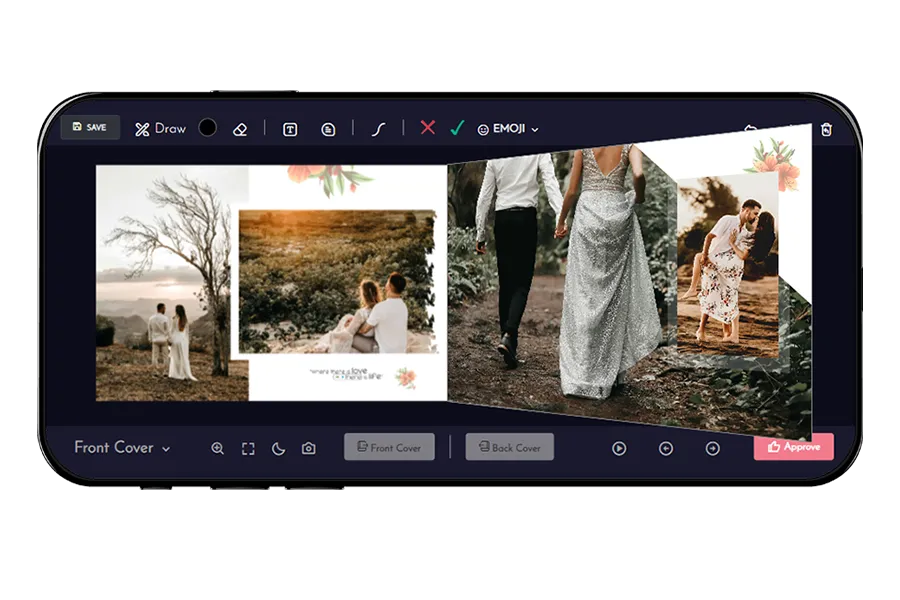
From the first look to the final correction, keep the album and the conversation together.
See the detailsLet clients take their time with every spread. Realistic page turns bring your layout together as a story, from the cover to the final moment.
 See the details
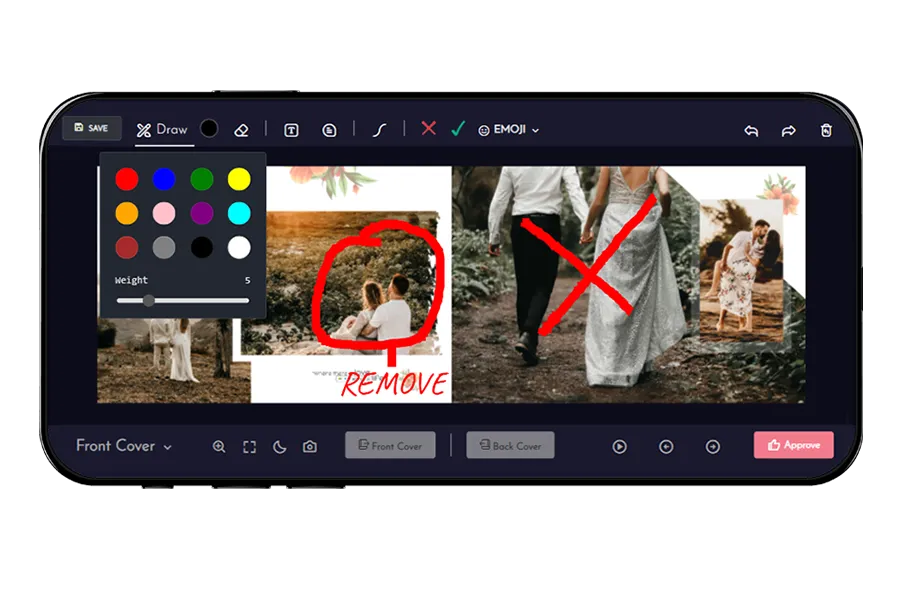
A circle says more than a long message. Clients can draw on a page, add text or leave a comment next to the detail they want you to change.
 See the details
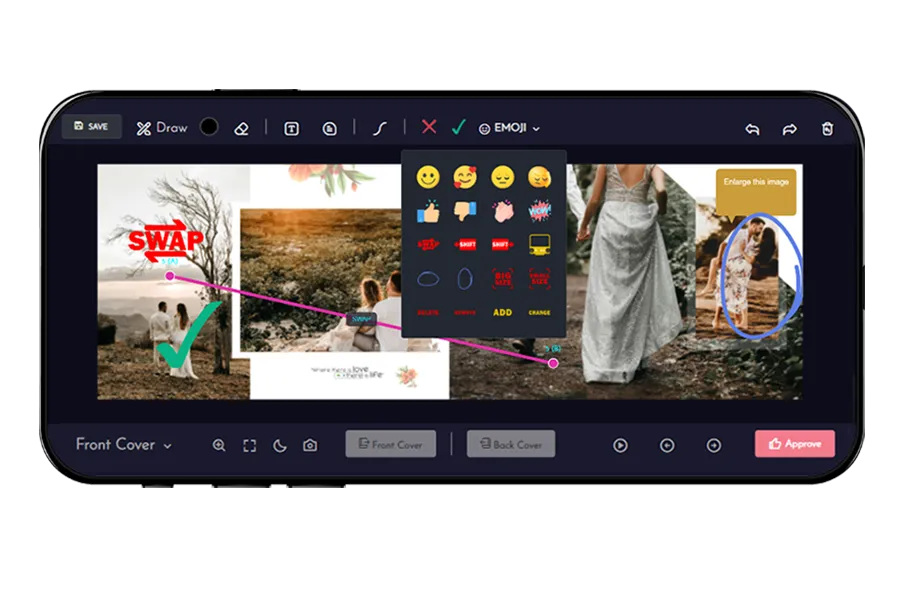
Use an emoji for a quick response or add a comment for more context. Keep the feedback close to the photograph, where it makes sense.
 See the details
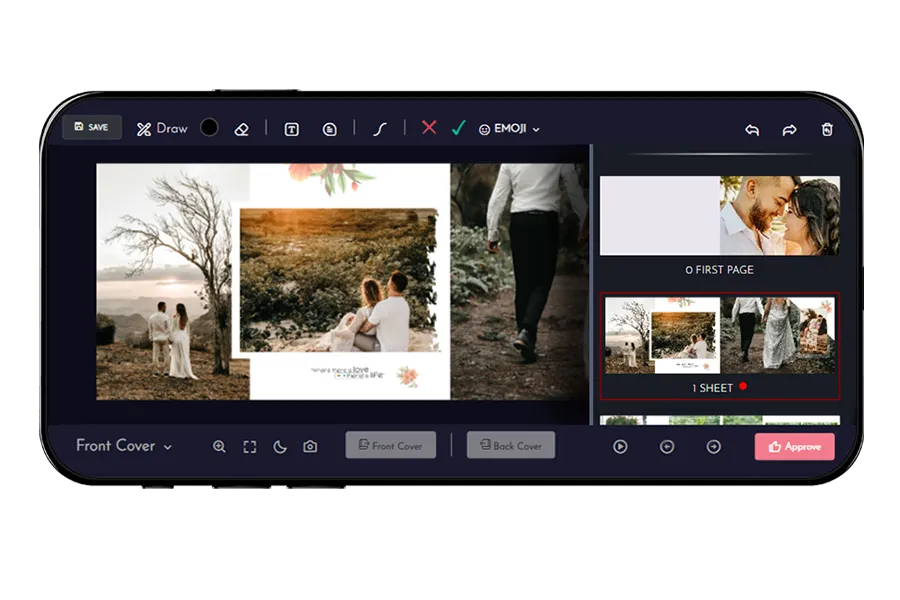
Open the thumbnail list, recognize a spread and jump straight to it. It’s an easy way to revisit a page when you’re discussing changes.
Give clients a simple way to show what they mean. A mark on the page and a short note help you understand the change without piecing together separate messages.
“Please change this photoA note attached to the moment.
on the album page.”
A clear process for you. A comfortable experience for your clients.
Set up your e-album in AiFotonex and share the album link with your client.
FOR THE PHOTOGRAPHERYour client flips through the pages, marks corrections and submits their feedback.
FOR THE CLIENTReview the requested changes, update the design and get the album ready for final approval.
A BETTER FINAL DELIVERY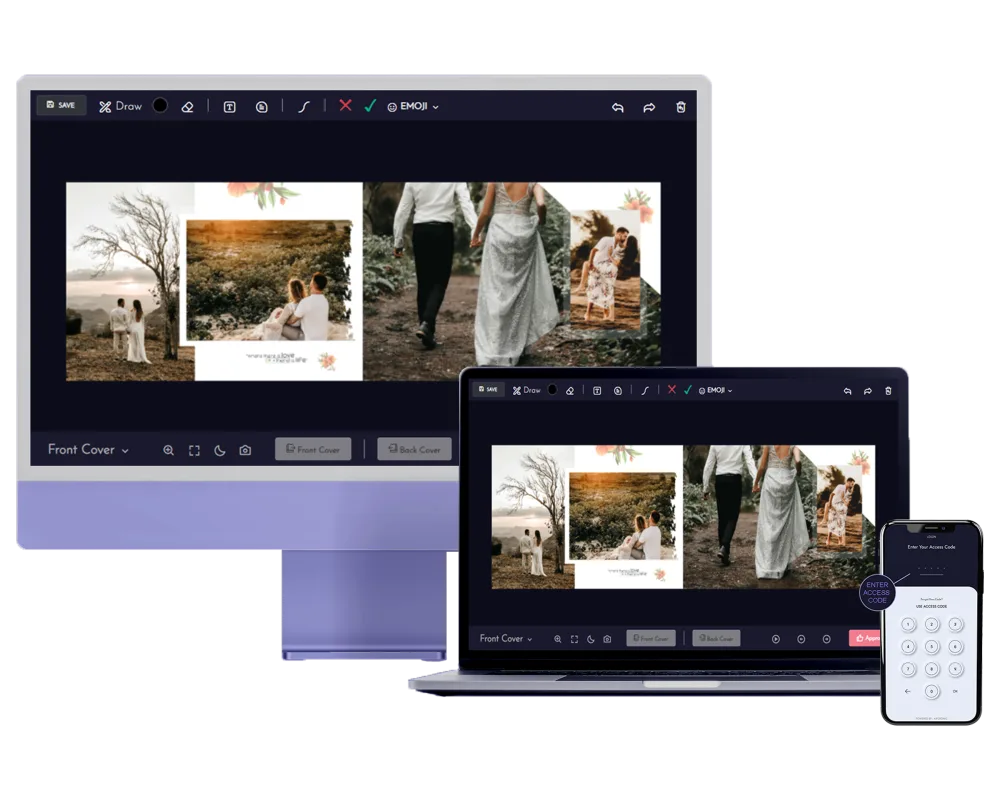
Let clients review on a laptop or revisit their memories on a phone. A shareable web album makes it easy to take the story with them.
Start with a client’s favourite photos. Finish with an album they’re ready to approve.
Compare studio plansE-album allowances depend on your studio plan.
Need help with your studio’s album workflow? We’re a message away.
Ask about e-albumsIt is an online photobook that presents your album design with realistic page turns. Clients can view the pages, leave visual feedback and review the design before final approval.
Yes. The album includes drawing, text, comment and emoji tools. Clients can circle an image, point out a detail or add a note directly on a page, then submit their feedback.
Clients can open the shared album link in a web browser. The existing Android option is also available through the inStudio app on Google Play.
The thumbnail view shows album spreads together. Clients can select a thumbnail to jump to that page, making it easier to revisit a specific spread during a review.
Yes. The viewer includes an approval option. Ask clients to finish their review and submit any corrections before approving the final design.
Your e-album allowance depends on your AiFotonex studio plan. Check the current pricing page for included albums, validity and other plan limits.
Bring your album to life. Make the review feel effortless.